Which card: the short answer
Suica (from JR East) and PASMO (from the private railways and subways) do the same job in Tokyo. You tap in and out at the gate and the fare comes off, on trains, subways and buses alike, and the same card pays at convenience stores, vending machines, station shops and most coin lockers. Buy whichever is easiest where you are.
If you have an iPhone, the simplest choice is a Suica or PASMO in Apple Wallet: no plastic, no deposit, top-ups from the phone and a balance that does not expire after a few weeks. If you have an Android phone bought outside Japan, get a plastic card, since those phones generally cannot carry Suica or PASMO. Between the plastic cards, a regular Suica or PASMO suits anyone who may come back or wants the deposit refunded, and the visitor cards (Welcome Suica and Tourist PASMO) suit a short trip where you will spend the balance before you leave.
- Regular Suica or PASMO card: ¥500 deposit, balance can be refunded, keeps working on your next trip.
- Welcome Suica card: no deposit, valid for 28 days, no refunds.
- Tourist PASMO card (since 2026): no deposit, valid for 28 days from purchase, no refunds.
- On an iPhone: Suica or PASMO in Apple Wallet, or the Welcome Suica Mobile app, whose balance expires after 180 days.
Where to buy each card in 2026
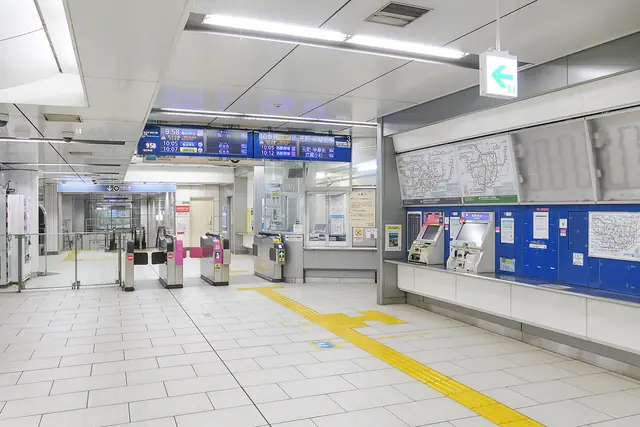
Sales of plastic cards were cut back in 2023 because of a chip shortage, came back in stages, and since March 2025 regular Suica cards are on sale again, as is PASMO. A regular Suica is sold at JR station ticket machines, and PASMO at machines of the subways and private railways. Choose the card option on the screen and pay in cash; the ¥500 deposit is included in what you pay.
Welcome Suica is sold at the JR EAST Travel Service Centers in the Narita Airport Terminal 1 and Terminal 2·3 stations and the Haneda Airport Terminal 3 station of the Tokyo Monorail, from vending machines at those three stations, and at the centers in big stations such as Tokyo, Shinjuku, Shibuya, Ikebukuro and Ueno. JR East sells one card per person, and you get a reference paper with it, which staff may ask to see, so keep it with the card.
Tourist PASMO is sold at Haneda by Keikyu, from machines for travellers at the Terminal 1·2 and Terminal 3 stations (credit cards accepted) and at the Keikyu Tourist Information Center in Terminal 3, in values from ¥1,000 to ¥10,000. At Narita it is sold at the Skyliner and Keisei information centers in the Terminal 1 and Terminal 2 stations, as a ¥2,000 card. The whole price is usable balance.
- Children pay child fares with a child IC card, which is usually bought at a staffed counter with proof of age, such as the child's passport.
- Taking the Skyliner from Narita? The Keisei information centers in the station sell Tourist PASMO and Skyliner tickets.
Suica on your phone: Apple Wallet, Welcome Suica Mobile and Android
In Apple Wallet, tap the add button, choose Transit Card, pick Suica or PASMO, choose an amount and pay with a card in Apple Pay. It works on an iPhone 8 or later and an Apple Watch Series 3 or later, and needs an Apple Account with two-factor authentication. Express Mode turns on by itself, so you tap through the gates without unlocking the phone. You can also move a plastic Suica or PASMO into Wallet: the balance moves over, the deposit is added to it, and the plastic card stops working.
Top-ups are done in Wallet with a card in Apple Pay. Some foreign-issued cards, Visa most often, are reported to be declined for these top-ups, so keep a second card ready, or add cash to the phone at a convenience store till or at many station ticket machines.
JR East's Welcome Suica Mobile app is a separate Suica for visitors on iPhone (iOS 17.2 or later). It is topped up through Apple Pay, has English support by email, sells Green Car tickets for local trains and links to JR East's online train booking, so you can ride JR East shinkansen and limited expresses such as the Narita Express without a paper ticket. The catch is that its balance expires 180 days after issue and cannot be refunded. For most visitors a plain Wallet Suica does the everyday job without the expiry. On Android, phones bought outside Japan generally cannot use mobile Suica or PASMO, so use a plastic card.
- If your phone dies inside the gates, you pay the fare in cash at the exit, so keep the battery up.
Topping up, where it works and the common mistakes
Plastic cards are topped up with cash at any station ticket machine (look for チャージ, charge), at convenience store tills, and on buses with ¥1,000 notes from the driver. A card holds up to ¥20,000. IC cards work on nearly all trains, subways and buses in Tokyo and on the big networks of other cities, and at convenience stores, vending machines, station shops, many coin lockers and many taxis. Small restaurants, shrines, temples and festival stalls often still want cash.
Since March 2026 you can also tap a contactless credit card at marked gates on Tokyo Metro, Toei, Keio, Odakyu, Tokyu, Keikyu and some other lines, and trips between those companies work on one card. JR, Keisei and the Tokyo Monorail do not take card taps, and a card tap only works when both your start and end stations support it. An IC card remains the simplest default.
The mistakes that cost money: one card per person, since you cannot tap twice for a friend. A low balance shuts the exit gate, which you fix at the fare adjustment machine (精算機) next to it. A single IC card trip cannot cross from the Tokyo area into another region's IC area, for example past Atami into Shizuoka, so buy a ticket or settle at the boundary station. Shinkansen and reserved limited express seats need their own ticket, even if online booking can link it to your IC card.
- Top up before a long day out, and check the balance on the gate's display as you pass.
- On subway-heavy days the Tokyo Subway Ticket (24 to 72 hours) can beat paying per ride. It is a separate ticket, not loaded on an IC card.
Refunds, leftover balance and the next trip
A regular Suica is refunded only at JR East stations, at the ticket office (みどりの窓口). You get the balance minus a ¥220 fee, plus the ¥500 deposit; if the balance is under ¥220, the fee is whatever is left, so a card with nothing on it still returns ¥500. PASMO also pays back the balance and the ¥500 deposit when you hand the card in. If you might come back to Japan, keep the card instead: a Suica lapses only after ten years without use.
Welcome Suica, Tourist PASMO and Welcome Suica Mobile cannot be refunded, so plan to use them up. Convenience stores are the easiest place: at most of their tills you can pay part of a bill with the card and the rest in cash. A Suica or PASMO in Apple Wallet is hard to cash out without a Japanese bank account, so spend it down or keep it for the next trip.
- On your last day, buy snacks or souvenirs at a station convenience store to clear the balance.
- Keep the Welcome Suica reference paper until you leave: it shows the card's expiry date.